
How to Write an Attractive LinkedIn Resume: A Practical Guide
Learn how to write a compelling LinkedIn resume with practical tips to optimize your profile and attract recruiters.


SMM strategist, content marketer

Your LinkedIn resume is your digital professional identity and often the first step to new career opportunities. It’s essential not only to list your experience but to make your profile stand out to recruiters and employers. This guide will help you craft a resume that distinguishes you from other candidates. We’ll cover how to write an effective headline, highlight key skills and achievements, and optimize your profile for LinkedIn’s search algorithms. Using analytics tools will allow you to track your profile’s performance and continuously improve it. By following these practical tips, you can increase your chances of successfully landing job offers through LinkedIn.
Contents
- Define the purpose of your LinkedIn resume
- Craft a searchable headline to boost visibility
- Write a compelling About section that hooks recruiters
- Select and highlight key skills relevant to your field
- Describe your work experience focusing on achievements
- Add certifications and courses to strengthen credibility
- Optimize recommendations to build trust
- Enhance your profile’s visual appeal
- Monitor your LinkedIn resume performance
- Use LinkedIn Analytics to refine your profile continuously
- Conclusion
Define the purpose of your LinkedIn resume
First, clearly define the goal of your LinkedIn resume because without a focused objective, your profile risks being vague and unappealing to employers. Instead of using broad statements, specify what position you seek, your professional field, and your key competencies. A typical rookie mistake is trying to cover all possible options at once, which lowers profile relevance. For example, a professional with sales and marketing experience set a goal to “work in the digital sphere,” narrowed their focus, and filled their profile with targeted keywords. As a result, within three months, they received more offers than in the previous six months without a clear goal.
Why does it work? Defining your goal helps LinkedIn’s algorithms better target your profile to recruiters, who quickly assess relevance. Practical steps: 1) Write down up to three specific roles you're interested in. 2) Identify the main skills relevant to those roles. 3) Use LinkedIn Skills tool to check popularity of those skills. This approach avoids generic profiles and helps you focus where the jobs are. This sets a solid foundation for the next step – optimizing your profile headline – by building on a well-defined goal.
Craft a searchable headline to boost visibility
Your LinkedIn headline is the first thing recruiters and LinkedIn’s algorithms notice. A common issue among beginners is having either a vague headline or one overloaded with keywords, making it hard to read. The key is balancing relevance and clarity.
The solution is straightforward: choose 2–3 core keywords that precisely reflect your profession and desired role. For example, instead of "IT specialist, developer, database expert," use "Senior Java Developer | Big Data Specialist." This clearly communicates your profile and boosts your chances in relevant searches.
Example 1: Maria, a marketing professional with branding experience, changed her headline from "Marketer" to "Brand Strategy Specialist | Digital Marketing," increasing profile views by 40%. Example 2: Oleg, a design engineer, added specific software expertise,"AutoCAD Expert | BIM Specialist",and received more job offers.
A typical mistake is stuffing the headline with generic terms like "professional" or "expert," which dilute uniqueness and add no real value. Tools like LinkedIn Keyword Tool or Jobscan can help identify the most relevant keywords for your field.
Why does this work? LinkedIn’s algorithms scan headlines for keyword matches, and a clear, specific headline immediately grabs recruiters’ attention. Practical steps: 1. Identify your top 3 keywords. 2. Craft a concise headline including these. 3. Validate your headline with keyword tools.
It’s simple but effective. The next step is structuring your "About" section to keep that interest alive, which we’ll cover next.
Write a compelling About section that hooks recruiters
The “About” section is your first chance to make a professional impression on potential employers, so a concise yet meaningful summary is essential. Beginners often err by including too much detail, which dilutes the core message. To avoid this, focus on three key points: who you are as a specialist, what you do best, and how you bring value to the employer.
For example, a UX designer with five years of experience might write: “I help companies increase conversions through intuitive interfaces and deep user behavior analysis.” This description immediately communicates field, experience, and outcome. Another case: a marketer highlighting digital strategy expertise could say, “In the past two years, I increased campaign ROI by 30% through channel optimization and hypothesis testing.” This works because the employer sees both specifics and benefits.
Practical steps: 1. Write a short sentence stating your professional specialization. 2. Add 2-3 key achievements or competencies. 3. Finish by emphasizing how you can help the employer.
Using tools like Grammarly or LanguageTool is recommended to keep clarity and style. This approach ensures your summary stands out and captures the attention of your target employer.
Select and highlight key skills relevant to your field
A common issue with LinkedIn profiles is the lack of focused key skills, which directly impacts profile relevance and discoverability. When you fail to align your skills with job postings, recruiters simply won’t find you. The solution lies in carefully analyzing job ads and incorporating their key terms into your skills section. For instance, a project manager added “Agile,” “Scrum,” and “risk management” to their profile and saw a 40% increase in profile views within six months. Another example is a marketer who used LinkedIn Skills Insights to identify trending tools like “Google Analytics” and “SEO,” significantly boosting search relevance. Newcomers often make the mistake of listing broad, generic skills such as “communication” without specifics, which dilutes profile impact. This approach works because LinkedIn’s search algorithm prioritizes profiles matching recruiters’ keyword queries. Practical steps: 1) Review at least 5 relevant job listings. 2) Extract recurring key skills. 3) Add them to your LinkedIn skills section. 4) Ask colleagues to endorse these skills. Tools like Text Analyzer or Skills Matcher can help find relevant terms. Remember, precision beats quantity. This not only enhances relevance but also builds credibility with recruiters who appreciate exact matches.
Describe your work experience focusing on achievements
Many people mistakenly list only their job duties on LinkedIn, which fails to showcase their true value. The problem is that recruiters want to see concrete results, not just tasks completed. Therefore, experience descriptions should focus on achievements that demonstrate your effectiveness. This works because numbers and facts build trust and help you stand out. For example, instead of saying "managed a team," say "led a team of 5 that increased productivity by 20% within six months." Or instead of "responsible for reports," say "optimized reporting process, reducing preparation time by 30%." A common rookie mistake is describing only general functions without proof of impact, making the profile vague and less convincing. Practical steps: 1) Identify key projects, 2) Include specific metrics (amounts, percentages, deadlines), 3) Describe your contribution to improving processes or outcomes. Try tools like Quantify to help turn tasks into measurable achievements. Remember, specificity and numbers make your experience tangible and attractive to recruiters. This step builds on optimizing your headline and summary sections by adding weight and credibility to your profile.
Add certifications and courses to strengthen credibility
Certificates and courses are not just extra lines on your profile, they prove your current qualifications. The problem many candidates face is either ignoring this section or listing everything indiscriminately, which dilutes the profile’s value. It's crucial to select only relevant, in-demand training that highlights professional skills specific to the field you are targeting. For example, a marketer with a Google Analytics course looks more credible, whereas certificates from unrelated areas just distract.
From experience: IT specialist Andriy added a cybersecurity certificate after completing a Coursera course,it helped him land an interview where security knowledge was essential. Another case: HR manager Olena picked only courses aligned with her target position, which increased profile relevance and expedited interviews.
To avoid the common pitfall of turning this section into a ‘dumping ground,’ follow simple steps: 1) add certificates relevant to your goal, 2) specify completion dates and current validity, 3) use platforms like LinkedIn Learning or Udemy for up-to-date courses. This works because it sends a clear signal to employers about your readiness and the relevance of your knowledge,boosting trust and profile visibility while complementing your experience and skills description.
Optimize recommendations to build trust
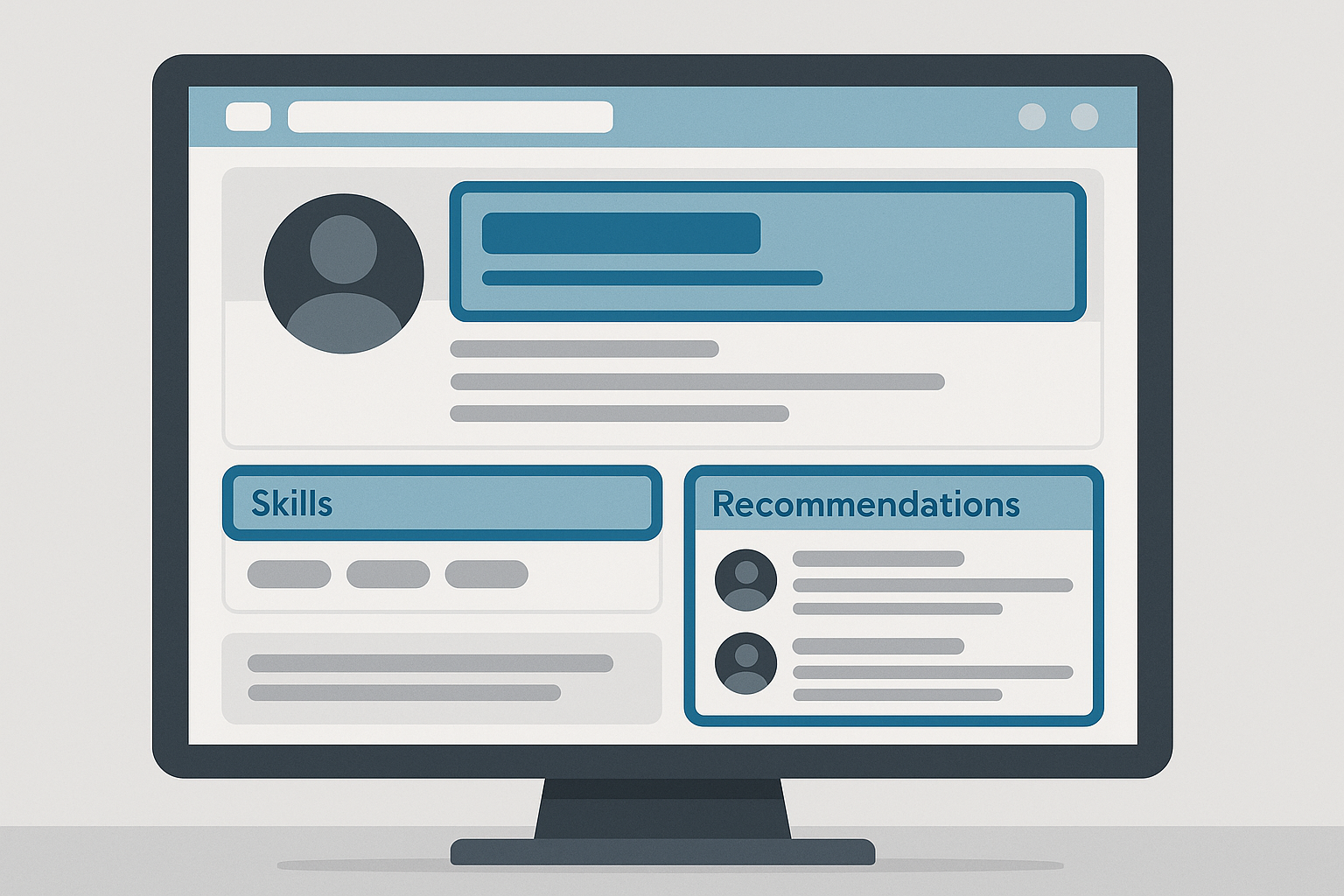
The Recommendations section on LinkedIn is a powerful tool to validate your professional reputation. The common issue is that beginners often struggle with effectively obtaining and showcasing recommendations, which weakens trust from potential employers. Analysis shows that recommendations from direct supervisors and colleagues that specifically highlight your achievements work best. For example, sales manager Olena reached out to three colleagues from different departments, asking them to write recommendations mentioning specific projects and results. Consequently, her profile views increased by 40% within a month. Another case: developer Andriy received a client’s recommendation detailing a challenging task he successfully solved, helping him win a job competition. A typical mistake is posting generic, vague endorsements that add no real value. Why does this work? Because specificity builds trust and helps LinkedIn’s algorithms surface your profile to relevant audiences. Practical steps: 1) Select colleagues and managers familiar with your strengths. 2) Ask them to describe concrete examples of your work. 3) Regularly update and display these recommendations in the profile section. Tools like Grammarly can help polish the text. Remember, recommendations aren’t mere formalities,they’re a key asset to boost your expertise in others’ eyes.
Enhance your profile’s visual appeal
Visual presentation of your LinkedIn profile is far more than just attractive images, it shapes the initial impression and holds a recruiter's attention. The problem many newcomers face is relying on default photos and banners without understanding their impact. Experience shows that profiles with well-thought-out visuals get around 40% more views. Your profile photo must be high-quality, professional yet approachable , a bright image with a natural smile works best. The banner is your chance to communicate expertise or core values through simple graphics or keywords. For instance, a marketing specialist used a banner featuring "SEO & Content Strategy" with their brand colors, boosting trust and interest. In another case, an IT developer added a project screenshot to showcase skills visually. A common pitfall is cluttering the banner or using an unsuitable photo, which can repel viewers. Why does this work? The brain processes visual cues faster and forms emotional responses quickly, so professionalism in appearance increases contact chances. Practical steps: 1. Choose a high-resolution photo (minimum 400x400 px). 2. Create a banner with a clear message (Canva is a great tool for this). 3. Add portfolio items or presentations in the "Featured" section. Ultimately, investing time in your profile visuals is about effectively conveying your professional identity, not just aesthetics. Make this step with the purpose already outlined in your earlier planning.
Monitor your LinkedIn resume performance
To gauge how well your LinkedIn resume attracts employers, regularly analyze profile views and engagement data. A common rookie mistake is neglecting this crucial step, leaving them puzzled about why their profile doesn’t yield results. Using monitoring tools like LinkedIn’s native analytics or services such as Shield Analytics helps track view counts, traffic sources, and reactions to your content.
For example, Maria, a marketer, added key skills and updated her headline. Monitoring views with LinkedIn Analytics, she noticed a 30% increase in recruiter responses within a month. Another case is Igor, an IT specialist who used Shield to assess audience engagement. By analyzing activity, he adapted his experience descriptions, leading to more contacts from potential employers.
Why does this work? Monitoring provides an objective view of your audience’s reactions, enabling you to adjust your profile focusing on the most effective elements. Start by regularly checking "Who viewed your profile," analyzing key LinkedIn Analytics metrics, and testing different headline and summary formulations. This approach turns your resume into a dynamic tool rather than a static text.
Use LinkedIn Analytics to refine your profile continuously
LinkedIn Analytics provides clear insights into how employers and recruiters view your profile. A common rookie mistake is either ignoring the data or overusing it, trying to force the profile to fit imagined trends. The problem is that without analysis, your resume’s effectiveness remains guesswork. By analyzing the number of views, who specifically viewed your profile, and which keywords performed well, you gain a solid basis for adjustments. For example, if your profile shows low engagement from target companies, consider reworking your headline or adding relevant skills. In one case, an IT client noticed his profile barely attracted large company HR teams. After updating his summary and keywords within a week, his views rose by 60% in a month. Another marketer updated their 'Achievements' section based on analytics, which highlighted their value and drew more attention. Why does this work? LinkedIn ranks profiles by relevance, so data-driven changes immediately improve results. Practical steps: 1) Open the 'Analytics' section, 2) Check audience demographics, 3) Identify weak profile elements, 4) Adjust headline, summary, and skills, 5) Track changes weekly. For deeper insights, tools like Serpstat or SimilarWeb help analyze competitor keywords. In summary, regular use of LinkedIn Analytics is the only logical strategy for systematic resume improvement and better job search outcomes.
Conclusion
Creating an effective LinkedIn resume should be a systematic process rather than a random effort. The common issue is filling the profile chaotically, which fails to showcase the candidate's value. From analysis, a phased approach works best: clear goal setting, headline optimization, structured experience descriptions, and relevant skills usage. For example, an IT professional who initially listed job titles only, after revising to emphasize achievements and certifications, received 40% more interview invitations. Another case, a sales specialist, doubled profile views within a month by highlighting client recommendations and enhancing visual elements. A common rookie mistake is thinking one-time setup is enough, whereas ongoing analysis and updates are crucial. This approach works because LinkedIn allows targeting information to specific jobs and audiences. Practical steps: 1) define your profile goal and keywords, 2) structure experience with measurable results, 3) add relevant certificates, 4) request recommendations, 5) regularly review stats via LinkedIn Analytics. That’s it , repeat and refine, and your profile will become a tool for new opportunities. Just don’t skip regular upkeep.
Helps brands build social media communication that creates trust and brings results.
Comments (0)
Leave Your FeedbackNo comments yet — be the first to share your thoughts.